Create New File in Finder. A script for Alfred App
Posted April 14th, 2012

Click here for an updated version of this script

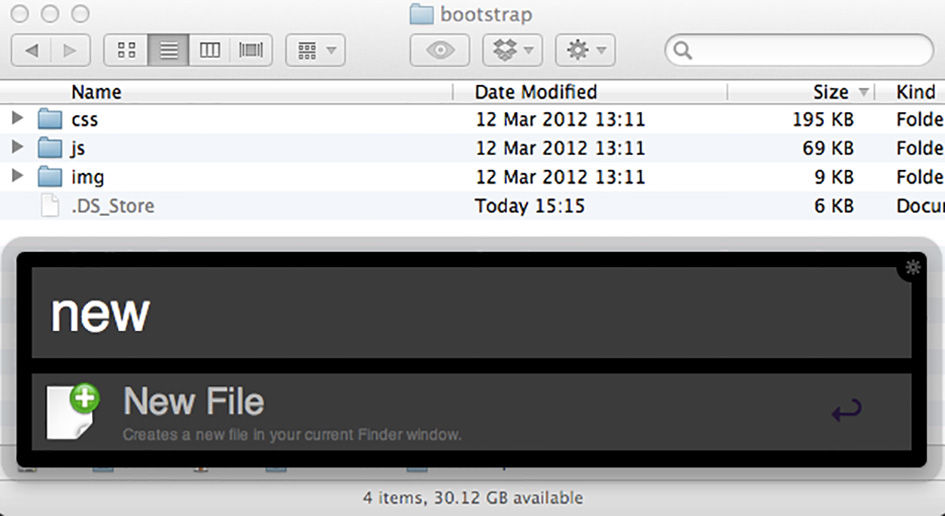
I am constantly bothered by the lack of a “new file” option in the Mac OS Finder. None of the scripts I found on the web were that great, and they were often quite slow. So I whipped up this little Alfred extension. It creates a new file in the most recent or currently active finder window, and selects it ready to be renamed.
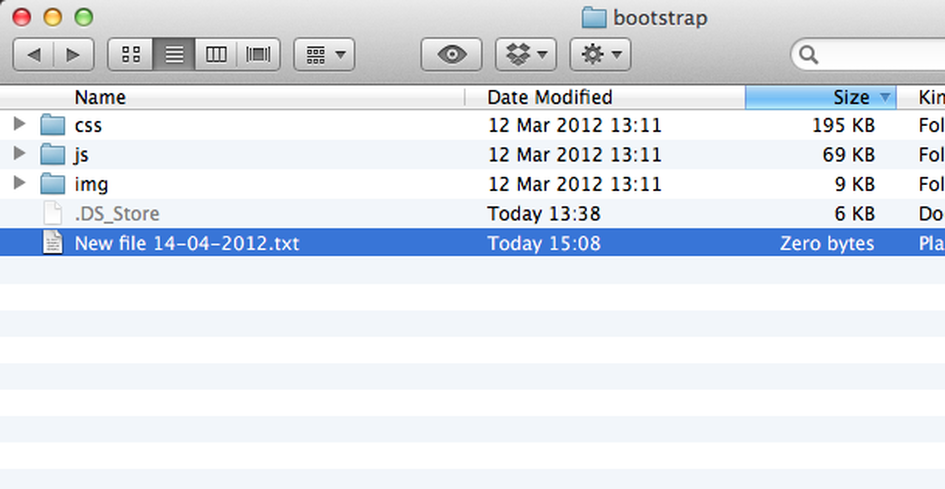
New file created

All you have to do is open the folder to use, and call “newfile” in Alfred. Simple!

I’m going to refine it a little more, but for now it does the job just fine. Feel free to download it, and tweak it as you wish. If you do update the script though, please post the changes to the comments so that everyone can make use of them.

Download v1.0 (9.7kb)

  • http://tuananh.us/ Tuan Anh

    I rather fire up Alfred and do
    > touch /path/to/mynewfile.txt
    or 
    > cdff & touch /path/to/mynewfile.txt
    with cdff cd to latest open finder.

  • farski

    Great idea, but any time you have a Finder window open, even if the desktop has priority, it will create the new file in the location of the window. If you use:
      tell application “Finder” to set this_folder to insertion location as alias
    you should be able to get around that.

  • farski

    I did some work on this to expand on the idea a little. I can now pass in optional arguments to set the extension and file name. I also set it up so you can define templates for specific file extensions.

    The extension is a script, because I don’t enjoy working with AppleScripts too much, so I do most of the work in ruby.

    https://gist.github.com/2387891

    • http://ianisted.co.uk Ian

      That’s great. I’ll check it out in the morning. Thanks :)

    • Ian

      Thanks for the update. Your ruby script does a great job. I will update my post with a new extension based on your script.

    • http://ianisted.co.uk/ Ian Isted

      Thanks for the update. Your ruby script does a great job. I will update my post with a new extension based on your script.

  • paulgpetty

    I updated the script to accept an argument so you can name the new file.  (If you don’t it falls back to the original naming pattern.)

        on alfred_script(q)
           
            try
                set FILENAME to q
                if FILENAME = “” then
                    set FILENAME to “New file ” & (do shell script “date ‘+%d-%m-%Y’”) & “.txt”
                end if
                tell application “Finder” to set the this_folder to (folder of the front window) as alias
                set thefullpath to POSIX path of this_folder & FILENAME
                do shell script “touch “” & thefullpath & “”"
                tell application “Finder” to reopen
                tell application “Finder” to activate
                tell application “Finder” to reveal POSIX file thefullpath as text
            end try
       
        end alfred_script

  • Pingback: Create New File in Finder 2 | Ian Isted

  • Slooge

    For me, this is the end of a long, frustrated search.  You are a legend.  Thanks.

    • http://ianisted.co.uk/ Ian Isted

      Not a problem at all. Glad to know other people find the script as useful as me. I spent a long time looking for a good solution to this problem too, and was very disappointed by the options available.

    • http://ianisted.co.uk/ Ian Isted

      I’ve re-written this to work the new Alfred Workflows. http://ianisted.co.uk/new-finder-file-alfred-2